Tasks
How to start, track, and complete tasks — plus ranks and hunt spots
How to Start a Task
Tasks are built into the client. Click on the task button in your client:
This will open the tasks window where you can browse and start tasks:
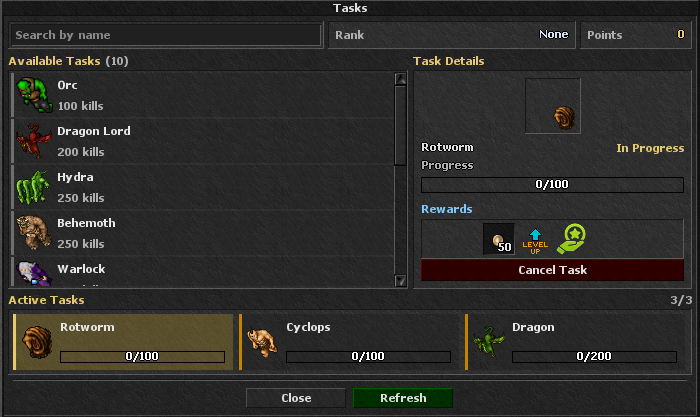
You can find all information about each task inside this window.
How to Track Task Kills
There are 3 ways to track your task progress:
From the client built-in task tracker:
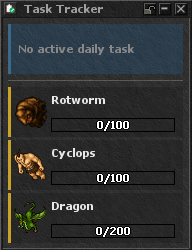
From the tasks window itself — click on the task from the Active Tasks list.
From the tasks channel in chat.
How to Report & Get Rewards
Open the client built-in tasks window.
Click on the task from the Active Tasks list.
Once the task is done, the button changes to Report — click it to receive rewards.
Rewards will go to your reward chest in the temple.
Important Notes
You can run 3 tasks at the same time.
You can cancel a task anytime, but it will reset the kills.
You can't repeat tasks.
Each task gives you 1 attribute point after completing it.
You can check your progress in the quest log.
Ranks
Huntsman
10 task points
Ranger
20 task points
Big Game Hunter
40 task points
Trophy Hunter
70 task points
Elite Hunter
100 task points
Hunt Spots (Require Task Points)
Draken Abomination
60 pts
Ghastly Dragon
66 pts
Prison (Grim Reaper)
100 pts