Quest Log
Browse quests, cosmetics, and progression
What Is the Quest Log?
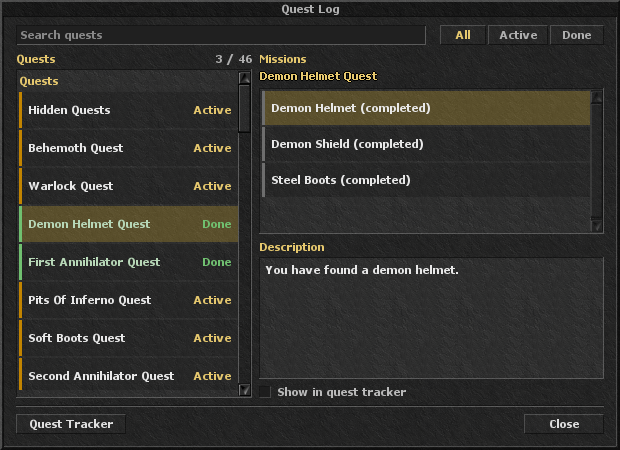
The Quest Log is the built-in client window for every quest and mission on your character. Entries are grouped into three categories:
- Quests — story quests, Hidden Quests, and Angel outfit quests. The full list is on the Quests page.
- Cosmetics — outfits and addons, mounts, wings, auras, and shaders.
- Progression — tasks, explorer points, hidden attribute points on the map, and attribute points from items.
How to Open
- Log in, then click the Quest Log icon on the icons panel under your equipment on the right.
- The window shows quests on the left and missions on the right.
Browse & Filter
- Use the search box to filter quests by name.
- All shows every quest. Active hides completed ones. Done shows only completed quests.
- The counter in the header is completed / total for the current filter.