[21.07.2026] Changelog - Patch 3.7 - Season IX
Additions
New Content
- Added new hunting areas featuring new monsters for level 5000+ players.
- Added new items designed for level 5000+ players.


- Added 8 new outfits.
- Added 9 new mounts.
Daily Tasks & Missions
- Added a new Daily Missions System.
- More details: https://oxygenot.live/daily_missions
- Added new daily tasks to NPC Omran.
- More details: https://oxygenot.live/daily_tasks
Ascension Quest
- Added a new feature to the Ascension Quest access portals.
- Looking at a portal will now display the remaining access time.
Player Settings
- Added a new Player Settings window with channel options.
- Players can control whether channels are forced to open.
- When disabling forced channel opening, close the channel before relogging for the setting to apply correctly.

Adjustments & Balancing
PvP Damage Reduction
- Modified the PvP Damage Reduction system with new level-based scaling.
- Levels 1–1499: 40% damage reduction
- Levels 1500–2499: 50% damage reduction
- Levels 2500–3499: 70% damage reduction
- Levels 3500–4499: 80% damage reduction
- Levels 4500+: 85% damage reduction
Knight Vocation
- Added a 10% base damage bonus and 10% damage reduction bonus to the Knight vocation.
- This change is mainly intended to improve Knight performance in PvE.
- The bonuses were added after player feedback, testing, and balancing.
Outfit Bonuses
- Increased regeneration provided by outfit bonus points from 10 HP/MP per second to 100 HP/MP per second.
Dungeon Boss Spawn System
- Reworked the Dungeon Boss spawning system.
- Players no longer need to leave the boss room and re-enter to spawn another boss.
- After entering, the Enter Boss button will change to Spawn Boss.
- Additional bosses can be summoned while remaining inside the room.
- Bosses can only be spawned while the player has enough Boss Charges.
- The maximum time inside the room remains 15 minutes, regardless of how many bosses are summoned.
- After leaving the room, the button will return to Enter Boss.
Adding Market Offers
- Reworked how Market offers are created.
- Items no longer need to be placed in the ammunition slot.
- Right-click an item inside your backpack and select Add Market Offer.
- The Market Offer window will open automatically, allowing you to enter the price and list the item.
- The old Add Market Offer button now opens the website Market page.
- The ammunition slot will now accept ammunition items only.

Minimap Improvements
- Reworked and fixed multiple minimap issues in the client.
- Minimap data is now saved separately for each character.
- Each character receives a dedicated map file.
- Every map file includes a .bak backup.
- If the main map file becomes corrupted, the client will automatically restore the backup.
- Future minimap changes will update automatically without requiring manual downloads.
- Map marks are stored separately and shared across all characters.
- This resolves corruption and saving conflicts caused by opening multiple clients.
Gameplay Fixes
- Fixed an issue where Bank Transfer could sometimes transfer the wrong currency while hunting.
- The system should now consistently detect and transfer the correct currency.
- Fixed an issue where players could incorrectly retain a yellow skull after attacking a white-skulled player.
- Previously, the white-skulled player could lose the skull and attack again without receiving another white skull.
- The skull system now works correctly.
- Fixed an issue where adding or removing VIP members was not always saved when multiple characters from the same account were open.
- This was caused by conflicting saves between characters.
- Fixed an issue where the client updater could repeatedly retry an update and eventually fail.
- Fixed an Action Bar crash issue.
- Fixed an issue where some items, such as House Scrolls, did not work correctly from the Action Bar.
- Fixed multiple reported client crashes and stability problems.
- Fixed silent crashes that could also cause the client to become increasingly laggy.
- Fixed memory and resource usage issues that could cause crashes over time.
OxyBot Updates
- OxyBot Version 3.0
- Removed all default items from the Dropper list.
- This prevents valuable items, such as Premium Scrolls, from being consumed accidentally.
- Existing items must still be removed manually from each character’s bot configuration.
- Updating OxyBot will not automatically remove previously saved Dropper items.
- Removed all default items from the Dropper list.
- OxyBot Version 3.1
- Increased the size of the OxyBot menu slider for easier navigation.
Download latest OxyBot version 3.1: https://oxygenot.live/download
Client Updates
- Released Client Update 3.8.9 for Windows and Android users.
- Fixed several reported crashes and stability issues.
- Added preparations and optimizations for future updates.
- Released Client Update 3.9.0 for Windows and Android users.
- Fixed an issue that caused mobile clients to crash after running for a period of time.
- Released Client Update 3.9.1 for Windows and Android users.
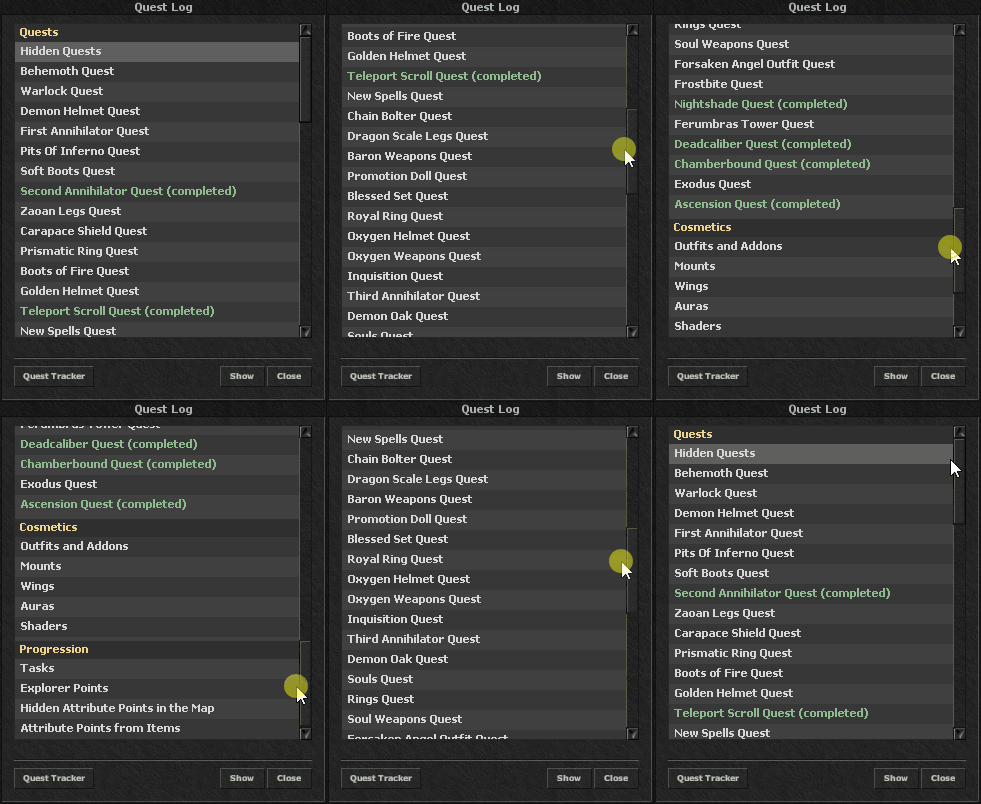
- Improved Quest Log sorting.
- Released Client Update 3.9.2 for Windows and Android users.
- Fixed a crash related to the Action Bar.
- Released Client Update 3.9.3 for Windows and Android users.
- Added a dedicated Brazilian proxy.
- Reduces ping by approximately 30–40 ms for Brazilian players.
- Improves connection stability and overall gameplay performance.
- Fixed another Action Bar crash issue.
- Added a dedicated Brazilian proxy.
- Released Client Update 3.9.4 for Windows and Android users.
- Fixed a silent crash affecting some players.
- Improved client performance in cases where the client gradually became laggy.
- Released Client Update 3.9.5 for Windows and Android users.
- Fixed an issue that could occasionally cause the client to crash.
- Released Client Update 4.0.0 for Windows and Android users.
- Released Client Update 4.0.1 for Windows and Android users.
- Fixed items such as House Scrolls not functioning from the Action Bar.
- Hidden the Market button on mobile clients only.
- Released Client Update 4.0.2 for Windows and Android users.
- Added the new Player Settings window with channel controls.
- Players who disable forced channel opening should close the channel before relogging.
- Released Client Update 4.0.3 for Windows and Android users.
- Fixed several minor client issues.
- Released Client Update 4.0.4 for Windows and Android users.
- Fixed a crash issue.
- Added required graphics for future updates.
- Fixed a minimap loading issue.
- Released Client Update 4.0.5 for Windows and Android users.
- Added the latest minimap update.
Android APK Updates
- Android APK Version 1.4
- Android APK Version 1.5
- Android APK Version 1.6
Notes
Some changes are live and rest will be live with next server save.